Find My Phone Unlocked: The Definitive Guide to Locating, Securing, and Recovering Your Device
Find My Phone Unlocked: The Definitive Guide to Locating, Securing, and Recovering Your Device
In an era where smartphones hold the keys to our digital identities, losing one triggers immediate panic. Find My Phone services, offered by both Apple and Google, provide a vital safety net, allowing users to remotely track, lock, and erase their devices. This guide explores the technical capabilities, strategic setup, and real-world applications of these tools for both personal and professional asset management.
The Core Technology: How Location Tracking Actually Works
At the heart of every "Find My Phone" service is a combination of GPS, Wi-Fi triangulation, and cellular network data. Your device constantly broadcasts a secure, anonymous location signal that can be picked up by nearby Apple or Google infrastructure. Even if your phone is offline and not connected to cellular data, it can still be located if it is within range of a Wi-Fi network or another Bluetooth-enabled device in the ecosystem.
"The magic happens in the background," explains a security analyst at a major tech firm. "Your phone isn't just pinging a satellite; it's participating in a vast crowdsourced network. If your battery dies and you leave it behind, the last known location is stored, and if it connects to a network, that historical data becomes visible to you immediately."
To use these services, you must enable specific settings during the initial device setup:
- Location Services: Must be turned on to allow the device to determine its position.
- Find My Device / Find My: The specific toggle that activates the tracking and remote management features.
- Network & Wi-Fi: The device must connect to cellular data or Wi-Fi to relay its location to the cloud.
Platform-Specific Strategies: Apple vs. Google
While the goal is the same, the implementation differs between iOS and Android ecosystems. Understanding these nuances is critical for ensuring maximum coverage, especially in mixed-device environments.
Apple’s Find My
Apple’s integration is deeply woven into the ecosystem. The "Find My" app combines the functions of tracking friends, devices, and items tagged with AirTags. The system leverages the entire Apple network; any iPhone, iPad, or Mac nearby can help locate your missing device without needing to be on the same Wi-Fi network.
- Play Sound: Forces the device to emit a loud noise, even if it is set to silent, to help locate it in the immediate vicinity.
- Lost Mode: Locks the device with a passcode, displays a custom message with contact information, and disables Apple Pay. This is the middle ground between tracking and erasing.
- Erase Device: A nuclear option that wipes all data and settings, protecting privacy but rendering the device unable to be tracked unless it reconnects to the internet.
Google’s Find My Device
Available for Android and Chrome OS, this web-based service is straightforward and utilitarian. Accessible via any browser on android.com/find, it provides a map view of the device's last known location.
- Secure Lock: Allows a user to sign out of their Google account remotely, adding a layer of security against unauthorized access.
- Remote Ring: Works even on devices set to silent, making it ideal for finding a phone buried under couch cushions.
- Device Information: Shows the battery level, which can help determine if the device is likely powered off or if the battery is simply depleted.
Professional and Enterprise Applications
For businesses, Find My Phone is not just a convenience feature; it is a critical component of IT asset management and data security compliance. The proliferation of mobile devices in the workforce means that companies face significant financial and security risks when a phone, tablet, or laptop is lost.
Enterprise Mobility Management (EMM) solutions often integrate these native tools to create a layered security policy. An IT administrator can enforce rules that automatically enable Lost Mode or encryption if a device reports as missing, without requiring the end-user to act.
Implementing a Recovery Policy
Corporations should establish clear protocols regarding lost equipment. The steps should be simple enough for an employee to execute under stress:
- Immediate Lockdown: The first action should always be to lock the device to prevent data breaches.
- Assessment: Determine if the device contains highly sensitive data that requires a full remote wipe.
- Reporting: Document the incident for insurance and security auditing purposes.
"We don't just look for the device; we look to mitigate the risk," says a corporate security manager. "The location feature is helpful for recovery, but the ability to instantly revoke access is the true value proposition for enterprise security."
Navigating Limitations and Ethical Concerns
Despite the power of these tools, users must be aware of the limitations. The most significant constraint is power. A device with a dead battery cannot be located in real-time; users can only see the last location where it was charged and online.
Privacy is another critical axis. While the technology protects the owner, it raises questions about consent and surveillance. Platforms enforce strict rules that the tracking software must be installed on the device before it can be located. You cannot, for example, track a random stranger’s phone just because you are curious. This is by design to prevent stalking and privacy violations.
Furthermore, location spoofing apps exist on some platforms, allowing users to fake their GPS coordinates. While this is often used for gaming or privacy, it can render tracking efforts useless if the reported location is fraudulent.
Actionable Best Practices for Users
To ensure that Find My Phone works when you need it most, proactive setup is essential. Do not wait until the phone is already gone to test the system.
Test the System: Sit with a friend or family member and practice locating one of your devices. Verify that the "Play Sound" function works and that the map updates in real-time.
Check Battery Settings: Ensure that location services are not being aggressively restricted by the operating system to save battery. If the OS kills the background location processes, the phone cannot report its location when the screen is off.
Update Software: Keep the operating system and the Find My app updated. Security patches often fix vulnerabilities that could prevent the tracking software from communicating with the servers.
Ultimately, Find My Phone represents a crucial symbiosis between hardware and software. It provides users with a layer of control that was unimaginable a decade ago, turning a potentially devastating loss into a manageable inconvenience through the seamless integration of data and satellite technology.
Related Post
Find My iPhone Uncovered: The Definitive Guide to Tracking, Security, and Peace of Mind
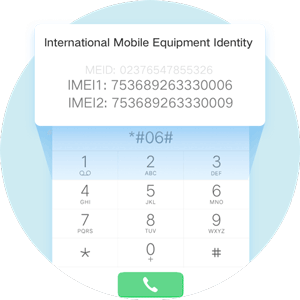
Unlock Peace of Mind: Find Your Phone Instantly with Free IMEI Tracker

Find My Phone Quick Guide To Locating Your Device: Stay Connected, No Matter Where Your Device Is


