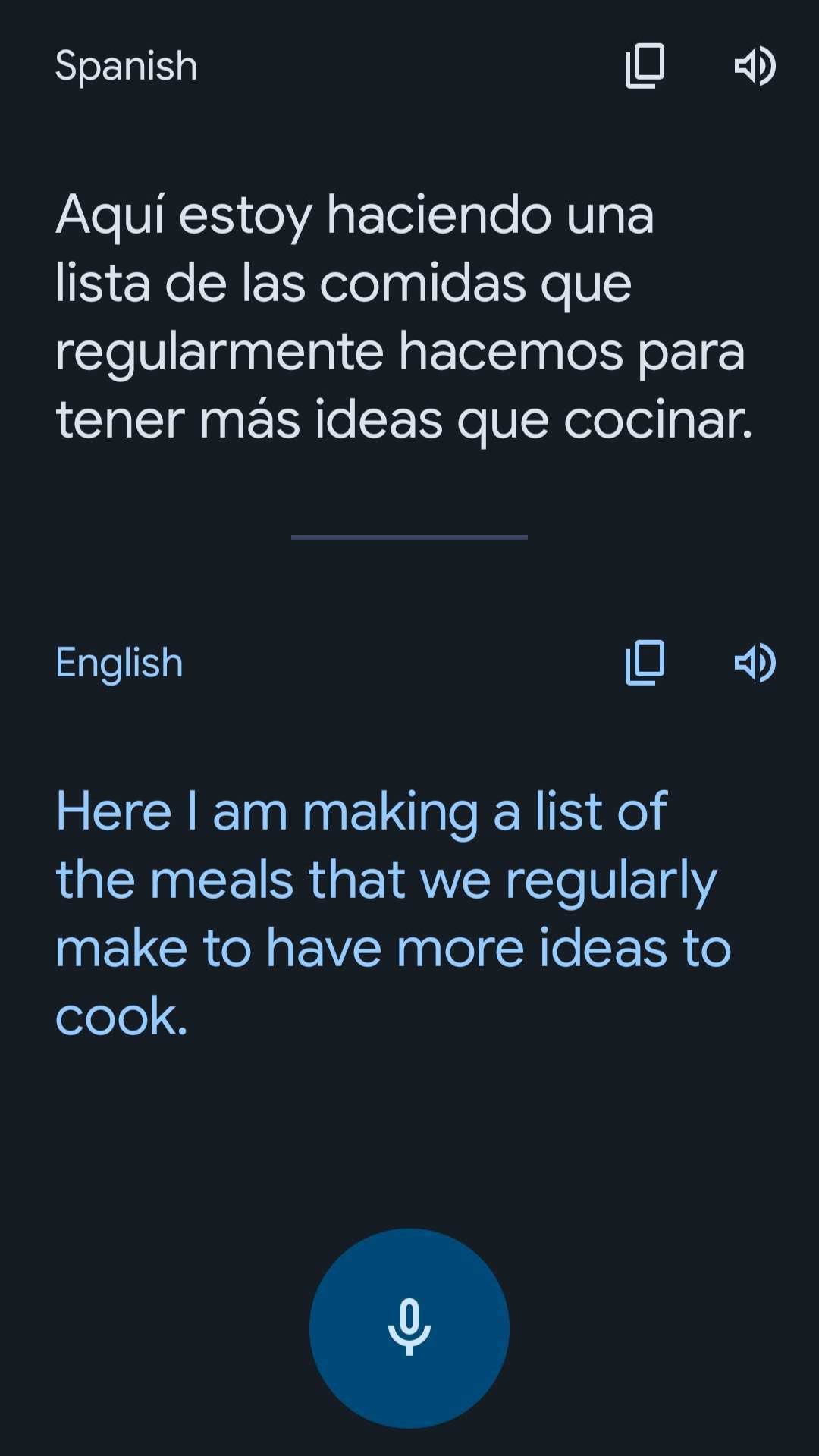
Google Translate Spanish English: The Ultimate Guide to Accurate Translations
Google Translate Spanish English: The Ultimate Guide to Accurate Translations
In an increasingly globalized world, the ability to communicate across language barriers is more valuable than ever. Google Translate has emerged as a powerful tool, offering instant translations between Spanish and English with remarkable accuracy. This article delves into the intricacies of using Google Translate for Spanish to English translations, exploring its features, limitations, and best practices.
The Evolution of Google Translate
Google Translate has come a long way since its inception in 2006. Initially, it relied on Statistical Machine Translation (SMT), which used large datasets to translate text based on patterns and probabilities. However, the introduction of Neural Machine Translation (NMT) in 2016 marked a significant leap forward. NMT uses deep learning algorithms to understand context and nuances, resulting in more natural and accurate translations.
Key Milestones
- 2006: Launch of Google Translate with SMT.
- 2016: Introduction of NMT, improving translation quality.
- 2018: Addition of offline translations for selected languages.
- 2020: Enhanced real-time translation features and expanded language support.
How Google Translate Works
Google Translate uses a combination of machine learning, natural language processing, and large datasets to translate text. When you input a Spanish sentence, the system analyzes the structure, vocabulary, and context to generate an English translation. The NMT model, in particular, focuses on understanding the entire sentence rather than translating word-for-word, which significantly improves accuracy.
The Role of Neural Networks
Neural networks are the backbone of Google's translation capabilities. These networks are trained on vast amounts of bilingual text data, allowing them to learn the nuances of both languages. For example, idiomatic expressions and cultural references are better understood and translated accurately, thanks to the contextual awareness provided by neural networks.
Features and Tools
Google Translate offers a variety of features designed to enhance the translation experience. From text translations to voice and image translations, the platform is versatile and user-friendly.
Text Translation
The most basic feature, text translation, allows users to input text in Spanish and receive an English translation instantly. This feature supports both typed and pasted text, making it convenient for various use cases.
Voice Translation
Google Translate's voice translation feature enables real-time spoken translation. Users can speak in Spanish, and the app will translate the words into English and vice versa. This is particularly useful for travelers and business professionals who need to communicate on the go.
Image Translation
With the image translation feature, users can translate text found in images. Simply take a photo of a sign, menu, or document, and Google Translate will extract and translate the text. This feature leverages optical character recognition (OCR) technology to accurately identify and translate text.
Offline Translation
For users who need translations without internet access, Google Translate offers offline translation packs. These packs can be downloaded for specific language pairs, ensuring that you have access to translations even when you're offline.
Best Practices for Using Google Translate
While Google Translate is a powerful tool, it's essential to use it effectively to achieve the best results. Here are some best practices to keep in mind:
- Keep Sentences Simple: Complex sentences with multiple clauses can confuse the translation algorithm. Break down long sentences into simpler ones for better accuracy.
- Use Context: Provide context whenever possible. If you're translating a paragraph, ensure that the surrounding text is clear and coherent.
- Review and Edit: Always review the translated text for accuracy. While Google Translate is highly accurate, it's not perfect and can make errors, especially with idiomatic expressions.
- Leverage Professional Translations: For critical documents or legal texts, consider using professional translation services. Google Translate can be a useful tool, but it should not replace human expertise in all cases.
Limitations and Challenges
Despite its advancements, Google Translate is not without limitations. Understanding these challenges can help users set realistic expectations and use the tool more effectively.
Idiomatic Expressions
Idiomatic expressions often pose a challenge for translation tools. Phrases like "break a leg" or "hit the nail on the head" may not translate directly and can result in literal translations that don't make sense in the target language.
Cultural Nuances
Cultural nuances and context are areas where Google Translate can sometimes fall short. For example, certain words or phrases may have different connotations in different cultures, leading to potential misunderstandings.
Grammar and Syntax
While Google Translate has improved significantly in handling grammar and syntax, it can still make errors, particularly with complex sentence structures. Users should be aware of these potential issues and verify the translated text when accuracy is crucial.
Real-World Applications
Google Translate has a wide range of real-world applications, from travel and business to education and personal use.
Travel
Travelers often rely on Google Translate to navigate foreign countries. Whether it's reading menus, understanding signs, or communicating with locals, the app is an invaluable tool for international travelers.
Business
In the business world, Google Translate can facilitate communication with international partners and clients. While it may not replace professional translation services, it can serve as a useful preliminary tool for understanding basic documents and emails.
Education
Students and educators can benefit from Google Translate in various ways. It can help non-native English speakers understand academic texts and assist in learning new languages. However, it's important to use the tool as a supplement rather than a replacement for traditional learning methods.
Personal Use
On a personal level, Google Translate can be used for everything from reading foreign literature to communicating with friends and family who speak different languages. Its versatility makes it a valuable tool for everyday use.
Future Developments
Google continues to innovate and improve its translation services. Future developments may include even more accurate translations, better handling of idiomatic expressions, and enhanced support for regional dialects. As artificial intelligence and machine learning continue to advance, the capabilities of Google Translate are likely to expand even further.
Integration with Other Google Services
Google Translate is increasingly being integrated with other Google services, such as Google Assistant and Google Lens. This integration enhances the user experience by providing seamless translation capabilities across various platforms and devices.
Enhanced User Experience
User experience is a key focus for Google. Future updates may include more intuitive interfaces, better voice recognition, and improved accuracy for less commonly spoken languages. These enhancements will make Google Translate even more accessible and useful for a global audience.
Conclusion
Google Translate has revolutionized the way we communicate across language barriers. With its advanced features and continuous improvements, it has become an indispensable tool for travelers, business professionals, students, and anyone looking to bridge the gap between Spanish and English. While it has its limitations, understanding how to use it effectively can maximize its benefits and enhance your translation experience.
Related Post