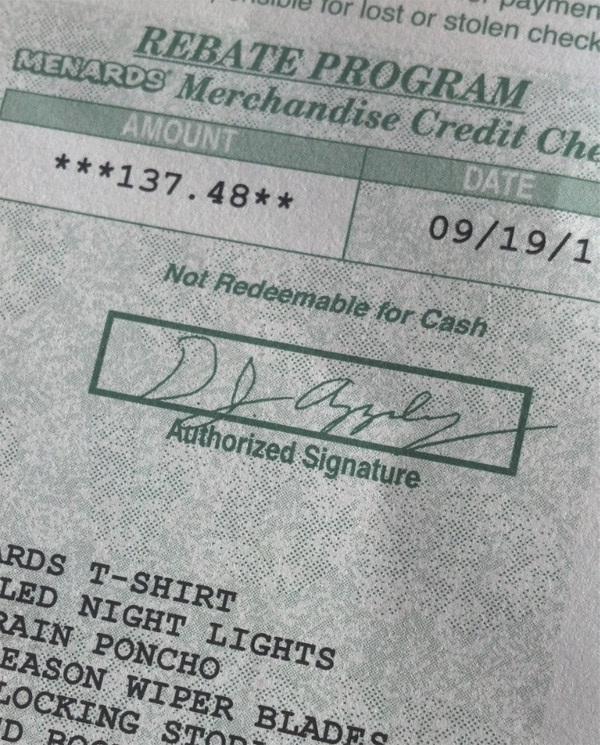
Navigating Menards Rebate Status: The Ultimate Guide to Tracking Your Savings
Navigating Menards Rebate Status: The Ultimate Guide to Tracking Your Savings
For homeowners and DIY enthusiasts, Menards has long been a destination for affordable building materials and household goods. The store’s rebate program adds a layer of complexity to the shopping experience, offering significant savings that require careful tracking. This guide demystifies the process, providing a clear path to understanding and managing your Menards rebate status.
The pursuit of savings at Menards often leads customers to the store’s rebate program, a system that promises substantial returns on specific purchases. However, the true value of these offers is frequently obscured by a confusing web of verification steps and delayed timelines. Understanding the intricacies of the rebate status window is crucial for consumers who wish to maximize their return on investment and avoid the frustration of unclaimed funds.
The Mechanics of Menards Rebates
Menards operates a unique rebate system that differs significantly from digital e-commerce promos. Instead of an instant discount at the register, customers typically pay the full price at checkout and later submit documentation to receive a refund. This process is designed to incentivize larger purchases, as the rebate often applies to items like appliances, lumber, and building materials.
The process generally follows a linear path:
1. **Qualifying Purchase:** The item must be listed in the current rebate catalog, which changes seasonally.
2. **Proof of Purchase:** The original sales receipt is essential, as it contains the UPC and transaction date.
3. **Online Submission:** The receipt data is entered into the Menards rebate portal.
4. **Verification and Fulfillment:** Menards reviews the claim before issuing a check or digital refund.
Decoding the Rebate Status Window
Once a submission is made, customers are directed to a specific portal to check their Menards rebate status. This interface is the central hub for tracking the lifecycle of a claim. The status updates as the claim progresses through Menards’ verification process, moving from “Submitted” to “Approved” or “Denied.”
The status window provides transparency, but the language used can be ambiguous to the untrained eye. Here is a breakdown of the most common statuses a customer might encounter:
- Submitted: The rebate application has been successfully logged in the system. No review has begun yet.
- Verification In Progress: Menards is actively working to confirm the purchase details. This is the longest phase and often indicates a manual review is required.
- Approved: The claim has passed verification. The funds are typically issued via check or a store gift card within a short timeframe.
- Denied: The claim did not meet the program’s requirements. A reason is usually provided, though it can be generic.
Reasons for Denial and How to Avoid Them
The most common point of frustration for shoppers is the denial of a rebate claim. While the system is not perfect, many denials stem from specific, preventable errors. According to a consumer advocate who frequently handles warranty disputes, "The gap between consumer expectation and the fine print of these programs is where most issues arise."
The primary reasons a rebate might be denied include:
- Missing Documentation: Failure to upload a clear image of the receipt, or the receipt lacking the exact UPC code for the item.
- Timeline Errors: Submitting the claim outside the allowed window, which is often 180 days from the purchase date.
- Item Exclusion: Purchasing an item that was part of a "Do Not Rebate" list or a clearance event that voids the promotion.
- Identity Mismatch: The name on the account does not match the name on the receipt or the rebate portal registration.
Tips for a Smooth Rebate Experience
To ensure a successful claim, organization is key. Savvy shoppers develop a system the moment they bring an item home. The following tips can help streamline the process and reduce the likelihood of a denial.
First, treat your receipt like a valuable document immediately after purchase. Scan or photograph it and store it in a dedicated folder on your phone, specifically for rebates. This ensures you have a backup in case the physical copy is lost.
Second, timing is critical. Do not wait until the end of the promotional period to submit your claim. Submitting as soon as the item is installed or assembled minimizes the risk of forgetting details or missing the deadline.
Finally, utilize the Menards app if available. Digital submission through an app often provides a clearer interface and automatic data capture from the receipt, reducing the chance of typos that can lead to processing delays.
Related Post
Menards Rebate Status Decoded: How to Track, Troubleshoot, and Cash In on Your Savings