The Ultimate Seat Map Decoder: How to Master In-Flight Selection and Avoid Costly Mistakes
The Ultimate Seat Map Decoder: How to Master In-Flight Selection and Avoid Costly Mistakes
Seat maps have evolved from simple seating charts into sophisticated digital tools that decode the complex architecture of modern air travel. These visual representations of aircraft cabins empower passengers to make informed decisions about legroom, proximity to amenities, and overall comfort long before boarding. Understanding how to read these maps is becoming an essential skill for the modern traveler seeking to optimize their flight experience.
The Anatomy of a Digital Seat Map
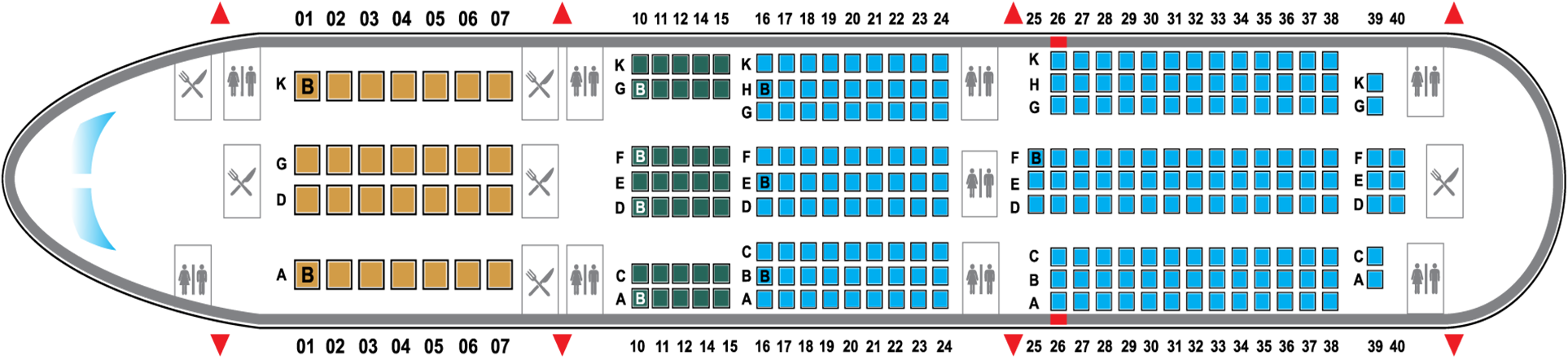
Today's seat maps are interactive grids displayed during the booking process or via airline apps, showing the precise configuration of each aircraft type. They differentiate between available, occupied, blocked, and restricted seats using a specific color-coded language. Icons representing features like extra legroom, emergency exits, power outlets, and Wi-Fi connectivity provide a layer of detail beyond simple seating positions.
A standard seat map interface will display the cabin layout in rows and columns. Key designations include:
- Seat numbers, combining a number with a letter (e.g., 12A, 12B) to pinpoint exact locations.
- Visual indicators for seat pitch, width, and recline ability, often revealed on hover or click.
- Symbols for power availability, Wi-Fi connectivity, and overhead bin space.
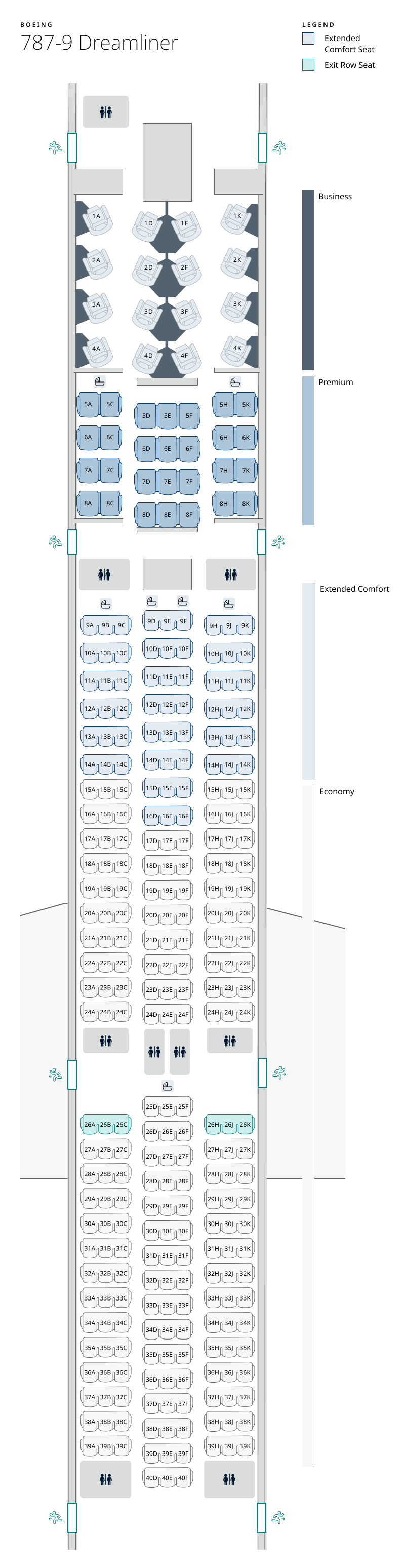
For instance, a traveler booking a flight on a Boeing 787 Dreamliner will encounter a completely different map than one flying an Airbus A320, reflecting variations in cabin class divisions, seat shapes, and amenity placement.
Decoding Cabin Classes: Economy, Premium, and Beyond
The primary division on any seat map is the cabin class. Economy class sections are typically the largest, subdivided into tiers such as Economy Comfort, Main Economy, and standard Economy, each with distinct rules regarding seat selection and baggage allowances. Premium cabins, including Premium Economy, Business, and First Class, offer significantly more space and services, and their sections are clearly delineated on the map.
Within these sections, layout configurations vary dramatically. Narrow-body aircraft like the Boeing 737 or Airbus A320 might feature a 3-3 configuration in Economy, meaning three seats on each side of the aisle. Wide-body aircraft like the Boeing 777 or Airbus A330 often adopt a 3-3-3 or 2-4-2 layout in Economy, providing a middle aisle seat option. Business class on long-haul flights frequently adopts 1-2-1 or 2-2-2 configurations, ensuring direct aisle access for every passenger.
Strategic Selection: Proximity to Amenities
A critical function of the seat map is identifying location relative to key cabin features. For business travelers, proximity to the front of the plane is often a priority, as this area typically experiences less noise and earlier deplaning. Families or passengers needing frequent restroom access may prefer seats closer to the rear galley, though this often comes with increased foot traffic and potential noise.
Seat maps clearly mark the locations of galleys (kitchens) and lavatories. While proximity offers convenience, it also presents trade-offs. Seats near lavatories can be noisier and experience more foot traffic, whereas the area directly in front of a galley might be subject to crew movement and meal service interruptions. The map allows passengers to weigh these factors based on personal tolerance.
The Quest for Extra Legroom: Rows and Bulkheads
One of the most common strategic moves is selecting exit row or bulkhead seating. Exit row seats offer significantly more legroom due to the absence of a seat in front, but they come with responsibilities, including the requirement to assist in an evacuation and restrictions during taxi, takeoff, and landing.
Bulkhead rows, located at the partition between cabin sections, provide similar legroom benefits. However, these seats often lack under-seat storage, as the space is reserved for safety equipment. Families with young children may find bulkhead rows advantageous due to the extra space and proximity to cabin crew, as noted by a veteran flight attendant who wished to remain anonymous.
"When we block seats, we often hold a few in the premium economy and bulkhead sections to manage family groupings and passenger comfort. The seat map is our guide to maintaining order and ensuring guests have the space they need for their specific needs,"
Advanced Tactics: Avoiding Undesirable Features
Beyond seeking advantages, seat maps help passengers avoid potential drawbacks. Icons for "No Recline" or "Limited Under-Seat Space" can signal discomfort. The "Window Seat" icon is self-explanatory, while "Aisle Seat" indicates access to the passage. Some maps even indicate seats that may be subject to vibration or noise from the engines.
Certain seats are designated as "Restricted" or "Unavailable." These may include seats over the wings, which some passengers prefer to avoid due to the sensation of turbulence, or seats that are structurally compromised. The map will clearly indicate these designations, preventing frustration at check-in.
The Role of Aircraft-Specific Knowledge
Effectively using a seat map requires an understanding that the same model number can represent different configurations. Two airlines might operate the Airbus A350, but one could have a modern, high-density layout while the other maintains a more premium, spacious arrangement. Consulting independent seat review websites that host user-uploaded seat maps for specific airline and aircraft combinations can provide a significant advantage.
Knowledge of seat pitch—the distance between a point on one seat and the same point on the seat in front—is crucial. While the map shows availability, it may not display exact measurements. However, airlines and third-party sites often provide average pitch ranges for each cabin, allowing for precise comparison between options.
The Future of Seat Selection
The evolution of seat mapping technology points toward increasingly personalized and data-driven experiences. Future systems may integrate passenger height and preference profiles to recommend optimal seats. Augmented reality applications could allow travelers to visualize their specific seat and surrounding environment before booking.
As airlines continue to maximize capacity, the ability to navigate the digital seat map with confidence will distinguish the informed passenger. It transforms a mundane task into a strategic exercise in comfort optimization, turning a potentially cramped experience into a more tailored and enjoyable journey.
Related Post
Unleash the Power of the Boeing 787: Your Ultimate Dreamliner Seat Map Guide