Track Amazon Package Like a Pro: The Ultimate Guide to Monitoring, Troubleshooting, and Taking Control
Track Amazon Package Like a Pro: The Ultimate Guide to Monitoring, Troubleshooting, and Taking Control
In the era of instant gratification, understanding the journey of a package from warehouse to doorstep is no longer a luxury but a necessity. This comprehensive guide demystifies the entire shipment tracking process, providing actionable strategies to monitor your deliveries with precision. Whether you are a frequent online shopper or a business owner managing inventory, mastering the art of package monitoring can save you time, reduce anxiety, and resolve issues before they escalate.
For millions of consumers, the Amazon track package journey is the central nervous system of their e-commerce experience. The ability to see a package’s real-time location provides a sense of control and anticipation in an otherwise impersonal digital transaction. However, the system is complex, with multiple checkpoints, potential delays, and technical nuances that can confuse even the most seasoned shoppers. This article delves into the mechanics of tracking, offering insights on how to interpret data, troubleshoot common problems, and optimize your delivery experience.
### Understanding the Digital Trail: How Tracking Works
When you click "Buy" on Amazon, you are initiating a complex logistical chain that begins the moment your order is confirmed. The tracking number generated for your purchase is not just a random string of characters; it is a unique identifier that links your package to every scan it undergoes. This digital breadcrumb trail is recorded by Amazon’s proprietary system, Amazon Logistics, and often integrated with external carriers like UPS, FedEx, or the United States Postal Service (USPS).
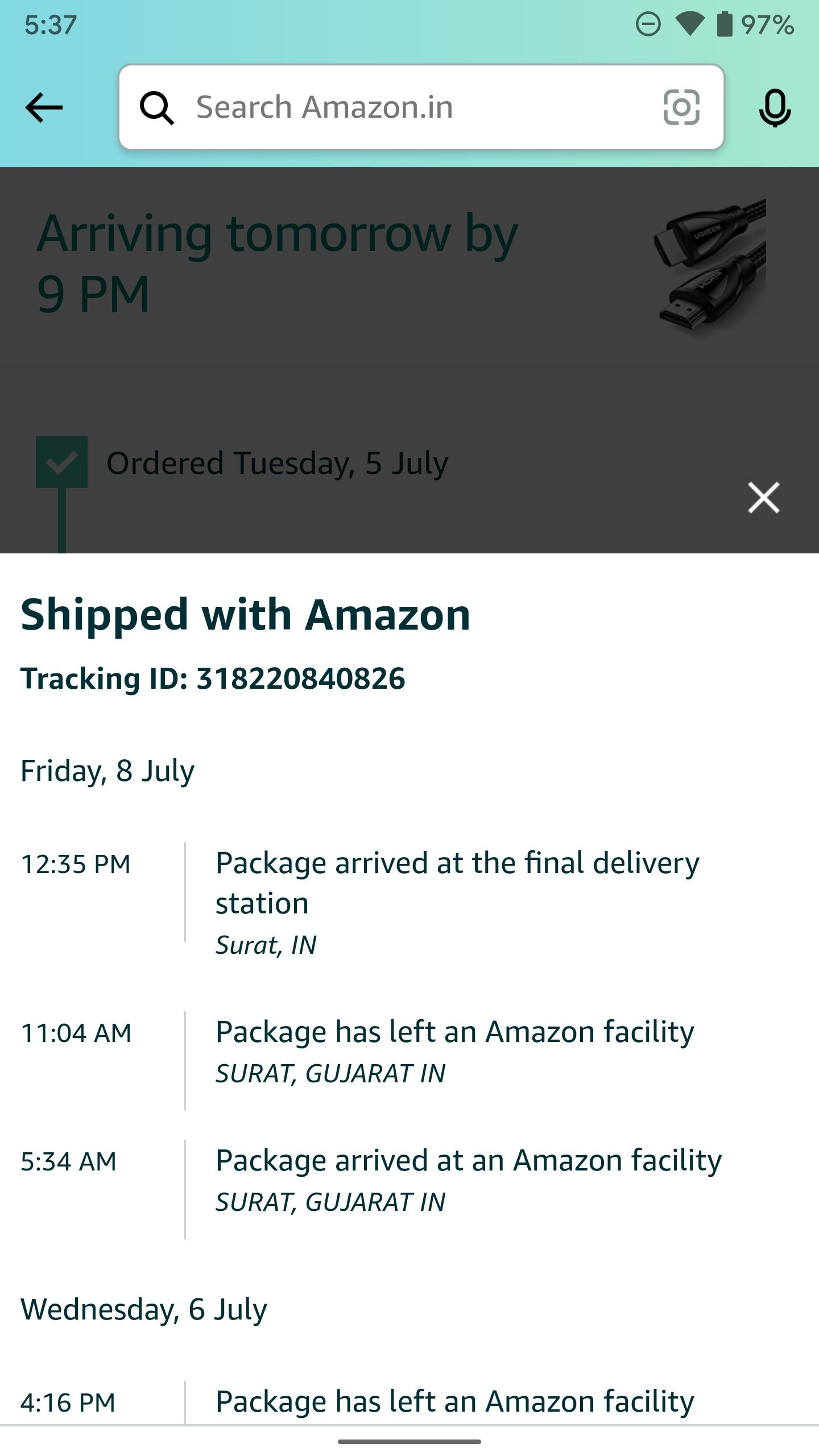
The tracking process relies on barcode scanning technology. At every major hub—from the initial sortation center to the local delivery station—warehouse workers scan the barcode on your package. Each scan updates the status in the system, providing you with a new timestamp and location. This data is then pushed to the customer via the Amazon app or website. The goal is transparency, allowing the company to manage exceptions and the customer to manage expectations.
**Key Milestones in the Tracking Journey:**
* **Package Received:** Indicates the item has left the seller's facility or an Amazon fulfillment center.
* **In Transit:** The package is moving between regional sortation centers via air or ground transport.
* **Out for Delivery:** The package has arrived at the local carrier station and is loaded onto a delivery vehicle.
* **Delivered:** The final scan confirms the package has been handed to the recipient or left in a secure location.
### Navigating the Interface: Where to Look for Information
Finding accurate tracking information is the first step in effective monitoring. Amazon provides several pathways to access this data, each designed for different user preferences and levels of detail.
**1. The Order Details Page**
This is the most direct route. By visiting "Your Orders" on the Amazon website or app, you can click on any specific order to view its current status. This page provides the most comprehensive view, including the estimated delivery date, the current location of the package, and the history of all scans.
**2. Email and SMS Notifications**
Amazon offers a subscription-based alert system that sends updates directly to your inbox or phone. These notifications are triggered by specific status changes, such as "Shipment has shipped" or "Out for Delivery." While convenient, these alerts can sometimes lag behind the actual scan by several minutes or hours.
**3. Carrier-Specific Tracking**
If your package has been handed off to a third-party carrier, Amazon will often provide a link to that carrier’s official tracking page. This can be useful for getting more granular information, especially during the final leg of the journey. For example, if the carrier is UPS, clicking the link will take you to the UPS tracking site, which might show detailed route information or delivery attempts that Amazon does not display.
### Troubleshooting Common Tracking Anomalies
Even with a sophisticated system, discrepancies can arise. Understanding how to interpret these anomalies can prevent unnecessary stress and help you resolve issues quickly.
**The "No Recent Updates" Freeze**
It is common for a package to sit in "In Transit" status for several days, particularly if it is moving through a long-distance network like the United States' ground infrastructure. This does not necessarily mean the package is stuck; it often indicates that the package is in a secure facility where scans are only performed once or twice per day.
**Geographical Mismatches**
Sometimes, the tracking page will show a location that seems geographically impossible (e.g., a package in one city when it should be in another). This usually occurs because the scan data is batch-uploaded to the central server. The physical package moved locally, but the digital update hasn't propagated yet. Waiting 24 to 48 hours usually resolves this inconsistency.
**The "Delivered" Status That Isn't**
Perhaps the most stressful scenario is when the tracking shows "Delivered" but you cannot find the package. Before contacting support, follow these steps:
1. **Check with neighbors:** The delivery driver may have left the package at a nearby house, apartment complex, or with a doorman.
2. **Check around the property:** Drivers sometimes place packages under porches, in bushes, or behind garbage cans to avoid theft.
3. **Check inside the home:** If you have an Amazon Key compatible smart lock or a Ring doorbell with Secure Access, the driver may have entered your home to leave the package inside.
If the package is still missing after a thorough search, contact Amazon Customer Service immediately. They will investigate the scan history and, if necessary, file a trace with the carrier or issue a replacement/refund.
### The Business Perspective: Why Tracking Matters for Sellers
While this guide is primarily aimed at consumers, it is important to acknowledge that tracking is a two-way street. For sellers on Amazon, managing tracking data is critical to maintaining performance metrics.
Seller feedback often hinges on the "Shipping Time" metric. If a package shows "In Transit" for an extended period, the buyer may assume the seller is at fault, even if the delay occurred during the carrier's responsibility. Therefore, sellers rely on tracking data to communicate effectively with customers and manage refund requests.
According to a spokesperson for a third-party logistics provider working with e-commerce businesses, "Visibility is everything. When a seller can see the exact location and status of their inventory in real-time, they can intervene proactively. Whether it’s rerouting a package or contacting the carrier about a scan error, data-driven decision-making reduces costs and improves customer satisfaction."
### The Future of Delivery: Predictive and Autonomous Tracking
The landscape of package tracking is evolving rapidly. The future points toward hyper-accurate ETAs and autonomous delivery verification. Companies are investing in machine learning algorithms that can predict delays based on weather patterns, traffic data, and historical hub performance. This moves the status from "In Transit" to "Predicted to Arrive between 3:00 PM and 4:00 PM" with a high degree of accuracy.
Furthermore, the integration of the Internet of Things (IoT) is on the horizon. Smart package boxes that confirm receipt via weight sensors, or delivery drones that send GPS coordinates directly to your phone, are no longer science fiction. These innovations aim to eliminate the final mile of uncertainty, providing the ultimate peace of mind for the modern consumer.
Mastering the art of tracking transforms the delivery process from a game of passive waiting into an active, informed engagement. By understanding the language of scans, utilizing the right tools, and knowing how to respond to anomalies, you take back control of your online shopping experience. The next time you see that digital update, you will know exactly what it means and what to expect next.
Related Post